Your customer prints a coupon. They forget it at home. They never come back. Email coupons fare slightly better — they survive in the inbox until the offer expires, get buried, and never resurface at the right moment.
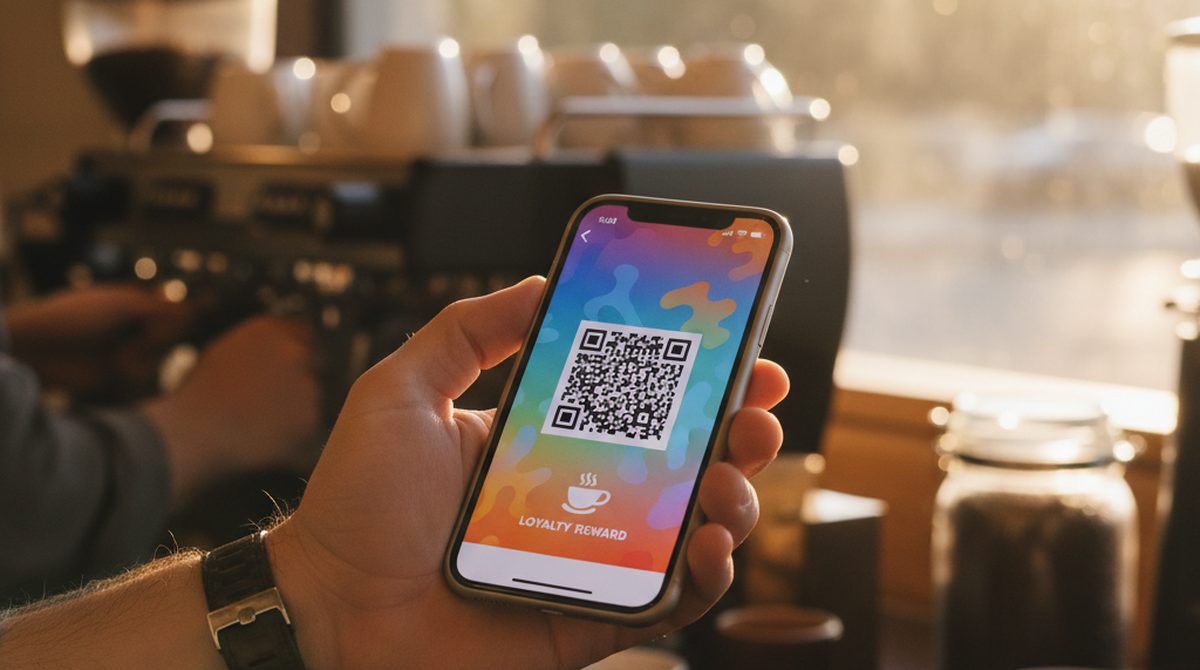
A coupon in Apple Wallet or Google Wallet sits next to the customer's boarding passes and loyalty cards. It surfaces at the right moment — when they walk into your shop, near expiry. It does not get lost.
Wallet Coupons — the 30-second answer:
- What they are: Apple Wallet (
.pkpass) or Google Wallet passes with a discount code, expiry, and a scannable barcode.- Best for: small businesses, cafes, gyms, retail shops issuing 50–5000 coupons per campaign.
- DIY tools: OtterWallet (€0.99/coupon), AddToWallet, PassCreator (subscription).
- Redemption: customer shows the wallet pass at checkout; you scan the barcode like any other coupon.
This guide covers why wallet coupons outperform email and paper, how to create one, the right tool for your scale, and the distribution patterns that work.
Why Wallet Coupons Beat Email Coupons
Wallet passes are not just "another delivery channel" — they have structural advantages.
- Lock-screen surfacing. When the coupon has a location set (your shop's address) or an expiry date, the wallet app surfaces it on the customer's lock screen at the right moment. No customer has to "remember" to use the coupon.
- No friction at redemption. The customer pulls out their phone (already in their hand) and shows the barcode. No printing, no inbox-search, no "I think I had it somewhere."
- Trust signal. A wallet pass with your branding looks more legitimate than a forwarded email — especially for new customers.
- Lives forever, expires gracefully. A coupon with an expiry date auto-greys after expiry. Customers see "expired" instead of trying to redeem something stale.
The flip side: wallet coupons are a higher upfront effort than email. You need a barcode strategy, a logo, and a tool. After the first one, the per-coupon effort is minimal.
How Wallet Coupons Work
A wallet coupon is technically just a wallet pass — same .pkpass format on Apple, same JWT-based pass on Google — with the type set to "coupon." That tells the wallet app to display it differently (typically with a specific layout that emphasizes the discount and expiry).
Inside, you have:
- Title — your business name and the offer ("Beans & Steam — 20 % Off Your Next Coffee")
- Barcode/QR — what the cashier scans. Usually the discount code or a unique customer ID.
- Expiry — the date the coupon stops working
- Logo + colors — your branding
- Optional location — if set, the coupon surfaces on the customer's lock screen when they walk into your shop
For more on the format itself, see What is a .pkpass file?.
How to Create a Wallet Coupon
We will walk through the simplest path — a browser tool. The flow is similar across competitors.
What you need
- The coupon code — the string the cashier scans (e.g.,
SPRING2026-20OFF) - A barcode format — usually QR or Code 128
- Your logo (PNG with transparent background, ideally square)
- Brand color (hex code)
- Expiry date
Step-by-step
- Go to otterwallet.com on any device.
- Pick Apple Wallet AND Google Wallet (you want both — different customers have different phones).
- Choose Coupon as the pass type.
- Enter your discount code as the barcode/QR data, OR upload an image if you already have a generated barcode.
- Customize:
- Title: "Beans & Steam — 20 % Off Your Next Coffee"
- Logo: upload PNG
- Background color: your brand hex
- Field labels: "Discount" / "20 %", "Valid until" / "2026-06-30"
- Set the expiry date so the coupon auto-greys after the offer ends.
- (Optional) Set a location — your shop address — so the coupon surfaces on the customer's lock screen when they're nearby.
- Download the
.pkpassfile (Apple) and the Google Wallet link.
For a single coupon code shared across many customers, this is one pass that you distribute. For per-customer unique codes, batch-generate via a small script or move to a platform with built-in batch tooling.
Try it now — make your first wallet coupon →
Tools Comparison
| Tool | Pricing | Best for |
|---|---|---|
| OtterWallet (browser) | €0.99/pass, no account | One-shot or low-volume coupons |
| PassCreator (subscription) | €16/month for 200 active passes | Ongoing campaigns with batches |
| AddToWallet.co | 7-day trial, then paid | Trying before committing |
| PassKit (enterprise) | Custom-quoted | High-volume programs with API integration |
For a deeper comparison see Wallet Creator Tools.
Distribution Strategies
How you get the coupon to the customer depends on what kind of coupon it is.
Single-code, shared (everyone gets the same code)
Easiest path. One pass, distributed widely:
- Email blast with the
.pkpassattached or the Google Wallet "Save" link - Social media post with the link/file
- Printed QR on a flyer that customers scan to add the pass
The coupon code is the same for everyone. At checkout, the cashier scans the barcode (or types the code) and applies the discount.
Per-customer unique codes (each gets a personal code)
Higher friction but stronger control: you can track who used what, prevent code-sharing, and run more sophisticated campaigns.
- Generate one pass per customer programmatically (small script with the OtterWallet API, or use a platform like PassCreator)
- Email each customer their personal pass
This is more work but worth it for high-value offers.
Evergreen (always-on)
Some coupons are evergreen — "20 % off your first order" available year-round. The pass has no near-term expiry, surfaces on the lock screen when relevant (location-based), and can be added to your website's landing pages and email signatures.
Time-limited campaign
Most retail coupons. Set a hard expiry, run a 2-4 week distribution window, accept that the coupon will auto-grey after the deadline.
Scanner Compatibility
A wallet coupon at checkout is the same as a paper coupon at checkout — the cashier scans the barcode. The barcode format must match what your POS system expects:
- Code 128 — most common for retail
- QR — used widely in cafes and hospitality
- EAN-13 — more for product barcodes than coupons
- Aztec, PDF417 — usually airline boarding passes, rarely coupons
If your POS reads any common barcode format, wallet coupons work. If your POS is custom or uses a proprietary format, test with one coupon before launching a campaign.
FAQ
Can I add a coupon to my Apple Wallet?
Yes — if the merchant issues one. Most chain retailers and many small businesses now offer "Add to Apple Wallet" buttons next to their coupons. If the merchant only sends an email with a code, you can manually add a generic pass via Apple Wallet → + → Scan Code, but it won't have branding.
How do I create a digital coupon for my business?
Use a browser tool like OtterWallet (€0.99/coupon, no account) or a subscription platform like PassCreator (€16/month for 200 passes). For high volume, look at PassKit or a custom integration.
Do wallet coupons work at any store?
The wallet pass works on any iPhone or Android. Whether it scans at the cashier depends on the store's POS — most modern POS systems read Code 128 and QR codes without issue.
How do I distribute the coupon to customers?
Three patterns: shared single-code (email blast, social post), per-customer unique codes (programmatic, more control), or evergreen always-on coupons. Pick based on offer value and how much fraud control you need.
Can I expire a wallet coupon early if needed?
Static passes can't be remotely updated. If you need real-time expiry control (e.g., shutting down a campaign early), you need a platform with backend pass-update support.
What's the difference between a wallet coupon and a wallet pass?
A wallet coupon is a wallet pass with the type set to "coupon" — the pass format is the same, the wallet app just displays it slightly differently (emphasizing discount and expiry).
Are wallet coupons free for the customer?
Yes — adding a wallet coupon costs the customer nothing. The merchant (you) pays the per-pass creation fee.
Coupons Your Customers Actually Use
Three reasons wallet coupons outperform paper and email:
- Lock-screen surfacing — the coupon appears at the right moment.
- No redemption friction — phone is already in hand.
- Auto-expiry — no embarrassment trying to use stale codes.
Pick a tool that matches your scale — pay-per-pass for small campaigns, subscription for ongoing programs — and your next campaign converts noticeably better than the printed flyers gathering dust on shop counters.
Make your first wallet coupon →