Last industry conference, Thursday evening. I empty my backpack. 47 business cards come out. Some from the chest pocket, some from the trouser pocket, a few from a stack on the hotel desk. I try to sort them: with five of them I have no idea who that was. With twelve I remember a conversation but not the content. The rest, at least vaguely: "the guy from the B2B tooling company," "the woman with the friendly Vienna accent."
Three weeks later I checked again. Exactly two of the 47 cards turned into actual follow-ups. The rest sit unchanged in a drawer. No emails sent, no calls made, no LinkedIn connect. A waste — on both sides. The other 45 people probably did the same with my card.
The Business Card Paradox
Business cards are an interesting format. Exchanged in seconds. Forgotten in days. The actual goal — the recipient using the contact info — fails most of the time. Studies on this are rare and usually marketing-driven, but the everyday experience is clear: stacks of unused paper rectangles in every desk drawer.
The problem isn't the card itself. The problem is the bridge. The card only makes it from paper into the right contact store if the recipient actively does something — type it in, scan it, photograph it. An additional task at the end of a long day. Most people don't do it.
What Existing Digital Alternatives Try
Many attempts at solving this:
vCard via QR code. The classic. You print a QR on the card that delivers a vCard file. Recipient scans, imports to contacts. Technically fine — rarely actually done. The "import to contacts" step is the friction.
LinkedIn connect on the spot. Practical, but doesn't fit every industry, and not everyone wants LinkedIn as the channel.
AirDrop. Apple-to-Apple only. Not enough.
NFC business cards (Linq, Mobilo, V1ce). Look great. But the recipient has to hold their phone to the card — and many older Android phones have NFC readers in unexpected spots.
Custom apps. "Download our app!" Nobody wants to install a new app at a trade show.
The shared problem with all of these: they require an active step from the recipient. And on a conference floor or at a networking event, the recipient is usually tired, distracted, or busy.
The Wallet Business Card as a Pragmatic Path
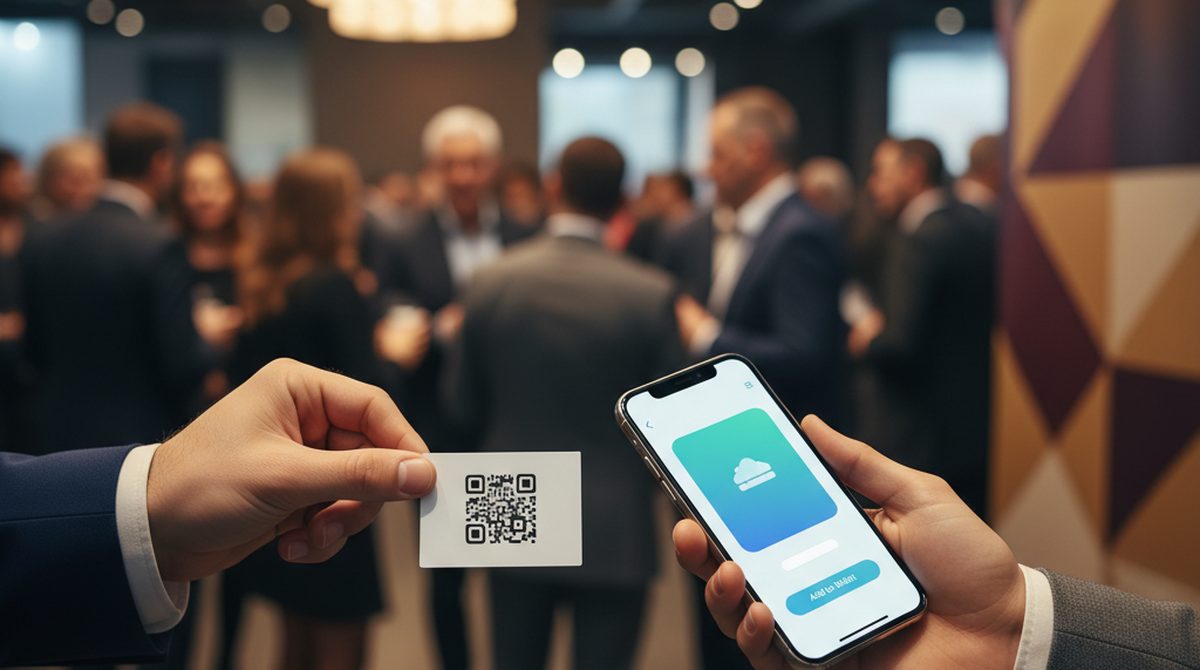
A wallet business card works differently. You build a wallet pass with your contact data — name, company, email, phone, maybe a logo and photo. You make this pass accessible via a QR code, printed on a small physical card (or shown on your phone).
The recipient scans once, taps "Add to Wallet," and the pass is in their wallet. No import, no extra step, no app. The card now lives where the recipient already looks — next to their debit card and boarding pass.
Three concrete advantages:
1. Visibility. In the wallet, the card is visible. When the recipient opens their wallet three days later, your name shows up as a pass. The drawer doesn't do that.
2. Updatability. Phone number changed, new email, new company? Through the pass update API, the wallet pass can be remotely updated for everyone who kept it. A business card that ages with you.
3. Tap-to-action. Wallet passes can carry action links — call directly, email directly, open a website. The stored card becomes a click-to-action tool.
What This Looks Like in Practice
Three steps:
1. Build the wallet pass. OtterWallet generates a generic pass — photo, logo, background color, your contact data as fields. The QR on the front links to your own page or to a direct action (e.g., mailto:).
2. Print the QR. A small card or sticker with just the QR code. Minimal print, minimal effort.
3. At the meeting. "Here's my QR — quick scan?" The recipient scans with the camera, hits a mini-page, taps "Add to Apple Wallet" or "Google Wallet" — done.
The exchange takes maybe 10 seconds longer than handing over a paper card. But the result is: the contact actually lands with the recipient, not in a drawer.
What It Replaces — And What It Doesn't
Honestly: the wallet business card isn't right for every situation.
What it replaces:
- The stack of paper cards in desk drawers
- The "scan it or type it in" friction
- Stale contact info on recipients' side (because of the update function)
What it doesn't replace:
- The material feel. If you're in a premium space (lawyer, architect, premium consulting), the high-end card itself is part of brand communication. A QR sticker would feel off.
- Contact import. A wallet pass isn't a vCard. People who need the entry in their actual contacts app (Apple Contacts, Google Contacts) have to take the pass content over additionally — manually or via a link.
- Conservative networking cultures. In some industries (associations, traditional manufacturing), the QR feels out of place.
When This Actually Pays Off
Three profiles where the effort earns it back:
- Self-employed and freelancers with frequent networking. Trade shows, pitches, client first meetings.
- Salespeople with high volume — anyone trading 20 contacts a day benefits massively from the update mechanism.
- Conference speakers and solo brand personas — the wallet pass with photo lives on the audience's screens after the talk. No card lost in a venue.
Less worthwhile: jobs with rare contact exchange (administration, teaching, local trades). Paper cards still make sense there — effort and benefit don't line up.
Bottom Line
Business cards are a 20th-century format. They don't work badly — they just don't work the way they promise. "Here's my contact info, get in touch" — and then nobody does, because the card is forgotten in three days.
A wallet business card moves the contact to where people actually look today: their phone. It's not for every job, not for every situation. But for the ones it fits, it's a small, pragmatic upgrade — less drawer-end, more follow-up.