Your members lose their plastic cards. They forget them at home. They show up at the door asking if you can "look them up." You spend ten minutes a day on this. There is a better way.
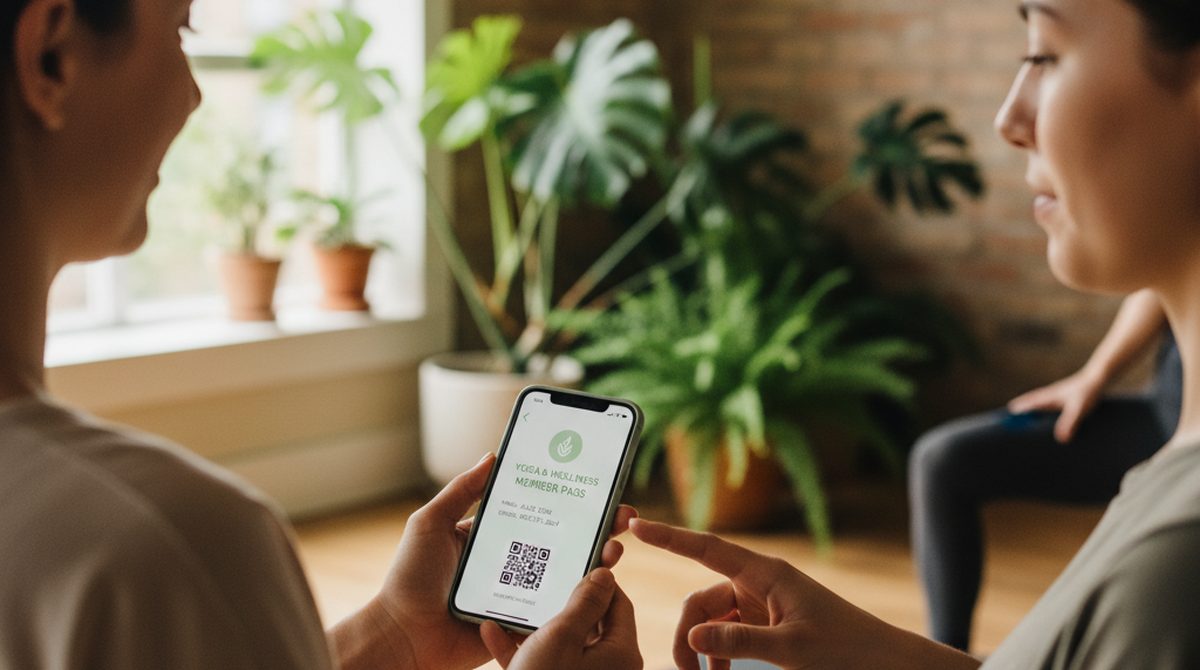
Digital membership cards have become genuinely practical in 2026. Most members carry their phone everywhere and have either Apple Wallet or Google Wallet pre-installed. With the right tool, you can issue a wallet pass per member in minutes — and they have it forever, on their lock screen, ready at the door.
Digital Membership Cards — the 30-second answer:
- What they are: Apple Wallet (
.pkpass) or Google Wallet passes that hold your member's name, expiry, member ID, and a scannable barcode/QR.- Best for: small-to-mid businesses (gyms, yoga studios, clubs, museums) and non-profits.
- Cost: from €0.99 (~$1.05) per pass with a no-account browser tool to €16/month subscriptions for ongoing programs.
- DIY-friendly: no developer required for most use cases.
This guide covers what they are, who they fit, the three real approaches in 2026, and a step-by-step DIY walkthrough.
What is a Digital Membership Card?
A digital membership card is a wallet pass — a small file your member's phone holds in Apple Wallet or Google Wallet. Visually it looks like a real card: your studio's logo and color at the top, the member's name, expiry, and a barcode or QR your scanner reads at the door.
Functionally it does three things plastic cards cannot:
- Lives on the lock screen when relevant (some passes surface based on location, e.g., when the member arrives at the studio).
- Cannot be lost in the way plastic cards can — if a member loses their phone, they restore from backup.
- Costs almost nothing per member — no printing, no shipping, no replacement fees.
The format your members use depends on their phone (Apple Wallet on iPhone, Google Wallet on most Androids), but most modern wallet creators emit both from one source, so you only design once.
For a deeper primer on the formats, see What is a .pkpass file?.
Who Should Use Them (and Who Shouldn't)
Good fit
- Yoga studios, gyms, dance schools — recurring members, predictable expiry cycles, scanner at the door.
- Museums, galleries, cultural institutions — annual passes, member benefits, gate-scanning.
- Sports clubs, hobby clubs, alumni associations — annual or lifetime memberships.
- Co-working spaces, libraries — recurring access.
- Non-profits — donor cards, supporter benefits.
Not the right fit
- Programs that need real-time point updates synchronized to a CRM — you need a platform with backend pass-update support (PassCreator, MembershipAnywhere, dedicated CRMs), not a single-shot wallet creator.
- Programs with 10,000+ members — at that scale, a dedicated membership platform with member management beats DIY.
- Programs where the card is more than an access token — digital wallet passes don't replace a full member portal with login, billing, and history.
If your members just need to prove they're members at the door (and you handle billing elsewhere), a wallet pass is the right size of tool.
The Three Approaches in 2026
Approach 1 — DIY Wallet Passes (browser tools)
Tools like OtterWallet generate signed Apple/Google Wallet passes from a barcode and a few text fields. No subscription, pay-per-pass — €0.99 each, €1.99 for ten, less in volume.
Best for: small operations with up to a few hundred members, where each member doesn't need a unique automatically-generated pass. You either generate per-member manually or batch-generate via a small script.
Limitations: static passes — once issued, they don't update. If you need expiry-based locking or balance tracking, this is the wrong tool.
Approach 2 — Membership Platforms
Tools like MembershipAnywhere, JoinIt, MemberJungle, Zeffy (free for non-profits) provide a full membership-management product: member database, signup forms, automated wallet pass issuance, automatic expiry/renewal, and a dashboard.
Pricing: typically $15–100/month depending on features and member count. Free tiers exist for non-profits (Zeffy's notable here).
Best for: ongoing programs where you want member management plus passes in one place.
Approach 3 — Custom Development (PassKit, Google Wallet API)
Engineering route — your own integration with Apple PassKit and Google Wallet API. Real cost in developer time, but you own the entire stack and can build features competitors do not have.
Best for: organizations with engineering resources building member apps that go beyond passes.
How to Make a Digital Membership Card Yourself
We will use OtterWallet because it is the simplest browser path. The flow is similar across competitors.
What you need before you start
- A logo file (PNG with transparency, ideally square, at least 200 × 200 px)
- Your brand color (hex code, e.g.,
#2D5A3D) - A barcode or QR per member — most studios use the member's ID as the encoded data
- The member's name and expiry date
Step-by-step
- Go to otterwallet.com on any device.
- Pick Apple Wallet AND Google Wallet (you want both formats so any member's phone works).
- Upload the QR/barcode for the first member, OR paste the member ID as the encoded text.
- Customize:
- Title: "Beans & Steam Member" or "Studio Membership"
- Logo: your uploaded PNG
- Background color: your hex code
- Field labels: "Name" / "[member name]", "Expiry" / "2027-04-30", "Member ID" / "12345"
- Set the expiry date so the pass auto-greys after the membership ends.
- Download the
.pkpassfile (Apple) and the Google Wallet link. - Repeat for each member, or use OtterWallet's batch tooling if available.
For 10 members, this takes about 30 minutes. For 100, batch tooling is essential — and at that scale, look at Approach 2 (a membership platform) instead.
Try it now — make your first membership pass →
Distributing to Members
Three patterns work, depending on volume.
Single member at signup: email the .pkpass file as an attachment. iPhone opens directly; Android needs PassWallet or WalletPasses (free).
Bulk to existing members: host the per-member files behind unique download links and email each member their link. A small script + a mail merge handles this for 50–500 members.
Self-serve: put a "Get your member card" page on your website where logged-in members generate their own pass on demand. This requires a small custom integration but is the cleanest experience.
For Android-specific recipient instructions, share our Android Wallet Pass guide with members.
For Non-Profits Specifically
Non-profits have unique constraints: tight budgets, donor-relationship sensitivity, and often volunteer-run operations. A few notes:
- Zeffy (zeffy.com) offers a free tier specifically designed for non-profit membership management. If your operation is donor-heavy, look there first.
- OtterWallet's pay-per-pass model fits non-profits well because there is no recurring subscription — you pay once per donor card and it's done.
- Lifetime memberships work well as digital passes (no expiry-update headache). Annual donor cards work too if you re-issue once a year.
Note on Sam's Club / Costco
A common search query in this cluster is around Sam's Club and Costco digital membership cards. Both are operated directly by those retailers — Costco offers a digital membership card in their official app, and Sam's Club has theirs in the Sam's Club app. You cannot create a third-party wallet pass that works at their gate. Their barcodes are tied to their internal systems.
If you searched looking for those specifically: this article is not it. Open the official Costco or Sam's Club app on your phone and follow their setup flow.
FAQ
How do I create a digital membership card for free?
Free options exist but with limits: Zeffy is free for non-profits, several wallet-creator tools have free trials (AddToWallet.co's 7-day trial, for instance), and Apple's Wallet Creator app on iOS is free for personal use. For unlimited free creation, you need to go the developer route — but that costs the Apple Developer fee plus your time.
Is there an app for membership cards?
For your members, the app is already on their phone — Apple Wallet (iPhone) or Google Wallet (Android). For issuing cards, browser tools like OtterWallet skip the need for an app entirely.
How do I make a digital loyalty card?
Same workflow as a membership card. Loyalty cards are typically more about repeat-visit tracking — for that, a membership platform with point-tracking is better than a static wallet pass.
Can I get into Costco with a digital membership card?
Yes — but only the one in Costco's official app. Third-party wallet passes do not work at Costco scanners.
What's the difference between Apple Wallet and Google Wallet for membership cards?
Different formats, different platforms. Most modern creators emit both from one source so you only design once. iPhone members get the Apple version; Android members get the Google version.
Do I need an Apple Developer account?
Only if you go the custom-development route (Approach 3). Browser tools and membership platforms handle the signing for you.
Can I update a member's pass after issuing it (e.g., renew expiry)?
Static passes cannot be updated remotely — you re-issue. If you need live-updating passes (auto-renew, balance updates), use a membership platform with backend integration.
Your Members, On Their Phones
Three approaches, three audiences:
- Small operation, DIY: browser tools like OtterWallet — €0.99 per pass, both Apple + Google, no account.
- Ongoing program, member-management included: membership platforms (MembershipAnywhere, JoinIt, MemberJungle, Zeffy for non-profits).
- Engineering resources, custom integration: Apple PassKit + Google Wallet API.
Pick by what your operation actually needs — and skip the rest.
Make your first digital membership card →